Building a Balanced Colorscheme with OKLCH
October 7, 2026
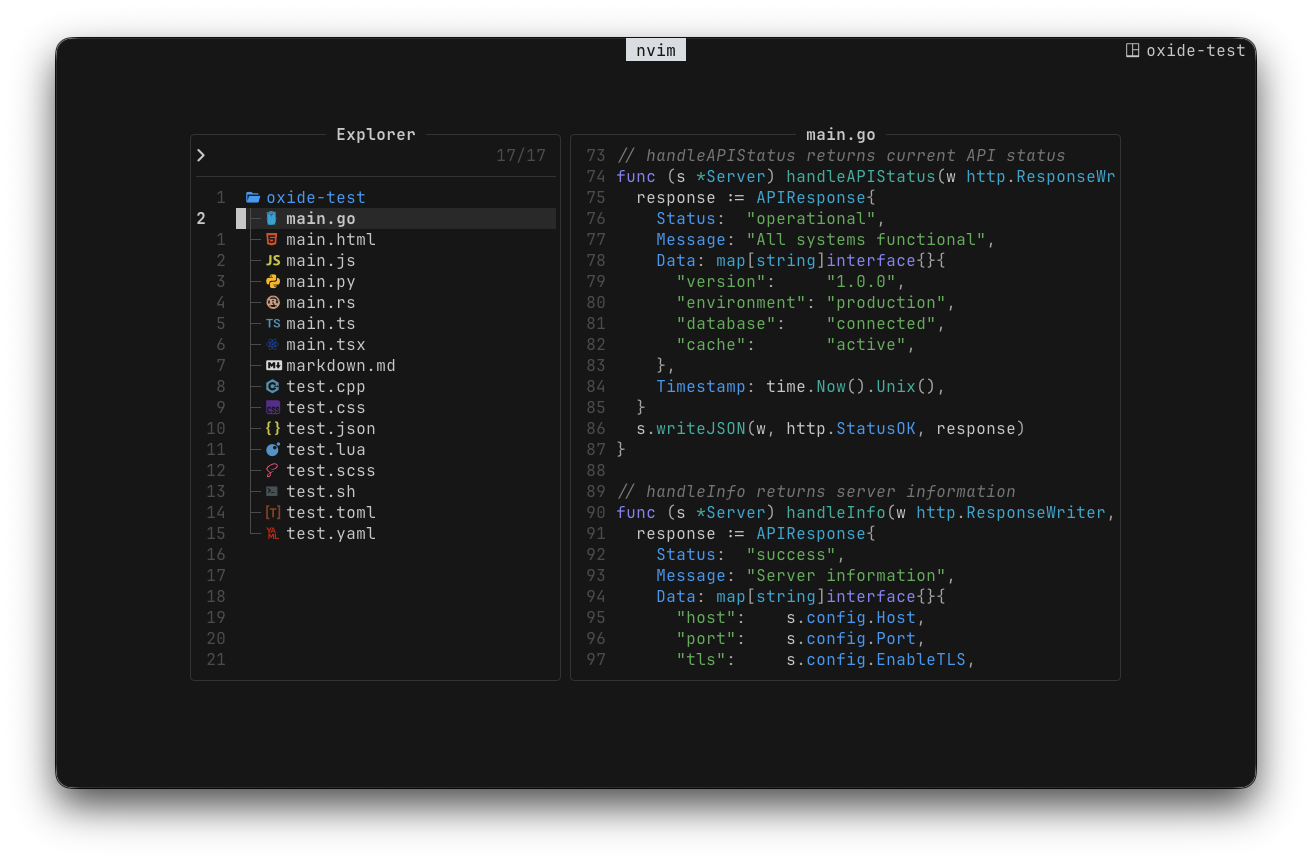
I kept trying different colorschemes and never quite found one that suited me. I like minimalism and find too many colors distracting. I tried fully monochrome themes too, but realized I still wanted color to help distinguish different parts of the code.
I've been working on oxide for over a year now. I wanted a neutral interface with enough color to make the code easier to read. For the syntax colors, I also wanted a palette that felt balanced, so one color wouldn't draw much more attention than the others.
Choosing Colors That Work Together
Most theme files store colors as RGB hex values. A value like #5bb661 tells you exactly how much red, green, and blue to use. It doesn't give you a convenient way to choose another color that looks equally light.
You can pick colors individually until each one looks good, then put them together and find that one stands out much more than the others. The same few colors repeat across a file, so a small imbalance becomes quite noticeable.
I wanted a way to choose the palette around how the colors look to us. That's what drew me to OKLCH, the cylindrical form of Oklab, a color space designed around perceived lightness and color differences.
Starting with an OKLCH Target
OKLCH describes a color with three values:
- Lightness: how light the color appears, from
0to1. - Chroma: how colorful it is. At
0, the color is gray. - Hue: the color's angle around the hue wheel, from
0to360degrees.
That gives me useful controls for building a palette. I can choose a lightness and chroma, then vary the hue to get different colors with roughly similar visual weight.
For oxide's regular accents, I use a target lightness of 0.70 and chroma of 0.15. Here are a few examples, alongside the RGB values used in the theme:
- Red: target
oklch(0.70 0.15 25), RGB#ed756e. - Green: target
oklch(0.70 0.15 145), RGB#5bb661. - Purple: target
oklch(0.70 0.15 285), RGB#968ff7.
The target values stay the same except for hue. Green can mark a string and purple a keyword without either color being deliberately brighter. For the bright terminal variants, I raise the target lightness to 0.80.
These targets are converted to RGB for the editor and terminal ports. Since sRGB can't represent every OKLCH color, the final values are approximate.
Keeping the Interface Mostly Gray
With oxide, I use color for syntax highlighting and useful feedback, like errors and search matches. The backgrounds, borders, and regular text use neutral grays without colored tints.
Oxide's main background is #161616, close to an OKLCH lightness of 0.20. The surfaces step up through targets of 0.25, 0.30, and 0.35. Their chroma is zero, so the hierarchy comes from differences in lightness.
In Neovim, a selected item gets a lighter gray background. Floating window borders use another gray. The selected tab uses brighter text. These elements are still easy to distinguish, and they leave the accent colors available for things like an error or a search match.
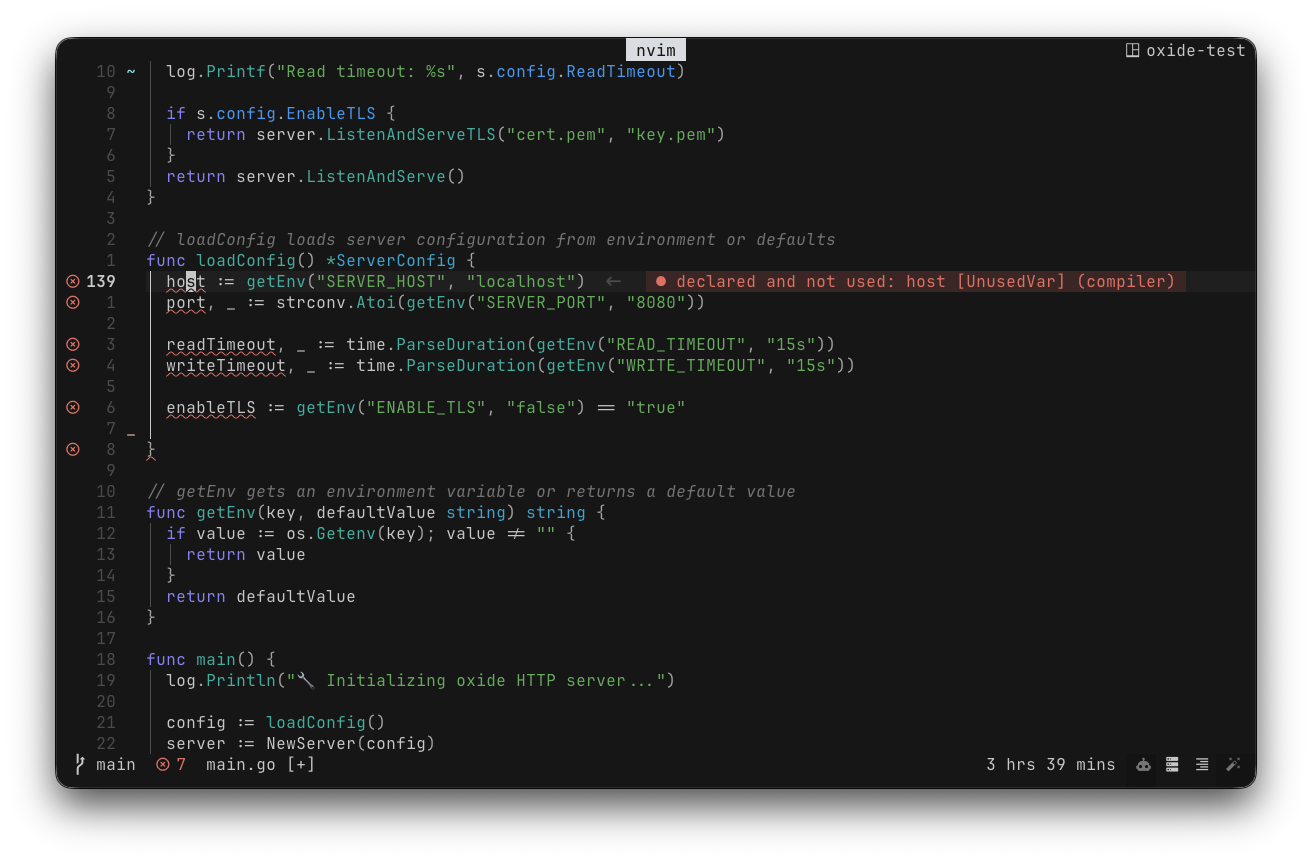
For syntax, colors have fairly consistent roles. Functions use teal, strings use green, and keywords use purple. An error uses red because I want to notice it. I don't need that same red around a window just to show where the window ends.
Using the Palette Across Tools
I also like having a consistent palette across my tools. Oxide has ports for Neovim, Zed, VS Code, and terminals like Ghostty and kitty, as well as tools like Yazi and Lazygit. Each app has different things to theme, so a port needs more thought than replacing a list of hex values. The palette and the way I use it for surfaces and text give those decisions a common starting point.
The Neovim port is the source of truth for the colors. Other ports take their values from there, which helps keep the palette consistent as it changes.
It's still a small project, and I don't actively use every tool I've made a port for, so some ports may have rough edges. Bug reports are welcome.
If you want to try oxide, the Neovim version is here, and the main repository links to the other ports and their installation instructions.
Found this helpful? A little heart goes a long way!